
Diamond AI – Conversational AI Concept
Diamond AI – Conversational AI Concept
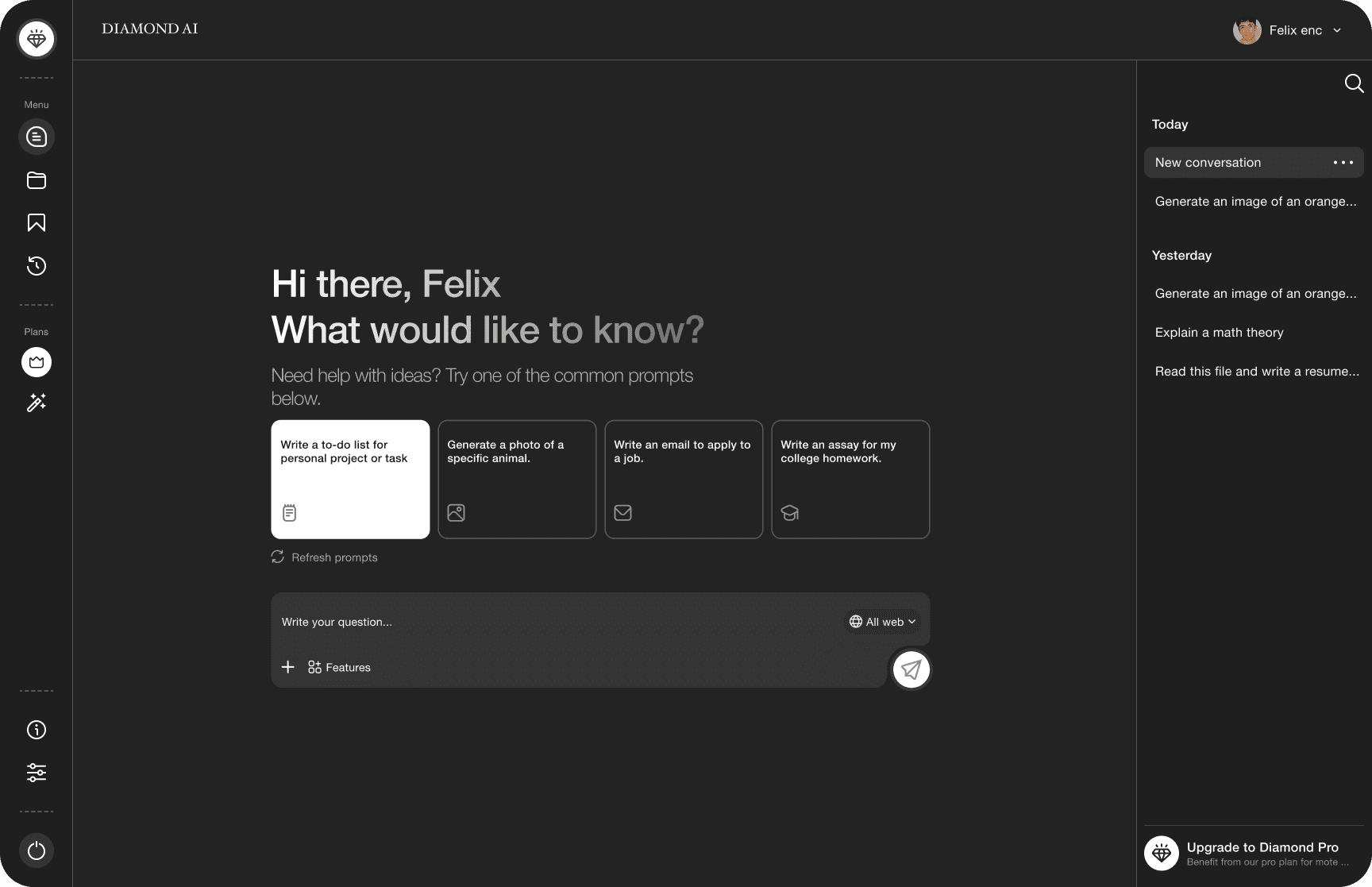
A sleek, intuitive chatbot interface designed for seamless human-AI interaction. SmartChat blends minimalist aesthetics with smart UI elements like dynamic message bubbles, contextual suggestions, voice input, and real-time typing indicators to create an engaging user experience. Perfectly suited for modern customer service and digital assistants.
A sleek, intuitive chatbot interface designed for seamless human-AI interaction. SmartChat blends minimalist aesthetics with smart UI elements like dynamic message bubbles, contextual suggestions, voice input, and real-time typing indicators to create an engaging user experience. Perfectly suited for modern customer service and digital assistants.
Overview
Overview
This section provides a high-level summary of the chatbot interface design. It outlines the purpose of the UI, its target users, and the core functionalities such as prompt input, AI-generated content output, and user interactions.
This section provides a high-level summary of the chatbot interface design. It outlines the purpose of the UI, its target users, and the core functionalities such as prompt input, AI-generated content output, and user interactions.
Section
Section
Design Breakdown
Design Breakdown
Lets breakdown out design to small parts
Lets breakdown out design to small parts
sIDEBAR
Sidebar Navigation Panel

Chats
Displays the page for main chats & Toggles the conversations view.
Chats
Displays the page for main chats & Toggles the conversations view.
Projects (Grouped Conversations)
Displays the page of lists of groups of chats.
Projects (Grouped Conversations)
Displays the page of lists of groups of chats.
Saved Conversations
Displays a view of saved chats.
Saved Conversations
Displays a view of saved chats.
Archived Conversations
Displays a view of archived chats.
Archived Conversations
Displays a view of archived chats.
Pro Conversations
Displays a view of advanced plans & subscriptions.
Pro Conversations
Displays a view of advanced
plans & subscriptions.
Pro Features
Displays a view of advanced features
(ex. high quality visuals ai)
Pro Features
Displays a view of advanced features
(ex. high quality visuals ai)
Help & Information
Displays a view of additional information
and support.
Help & Information
Displays a view of additional information
and support.
Settings
Displays a view of general
settings & configurations
Settings
Displays a view of general settings & configurations
Logout
Logout
Sidebar Navigation Panel
This vertical menu gives users quick access to core features. Each icon represents:
Menu (expand/collapse)
Conversations or Chats
Saved Chats
Plans/Subscriptions
Tools/Features
Help / Information
Settings
Logout
Welcome Prompt Area
Hero Message
Welcome Prompt Area
Welcome Prompt Area
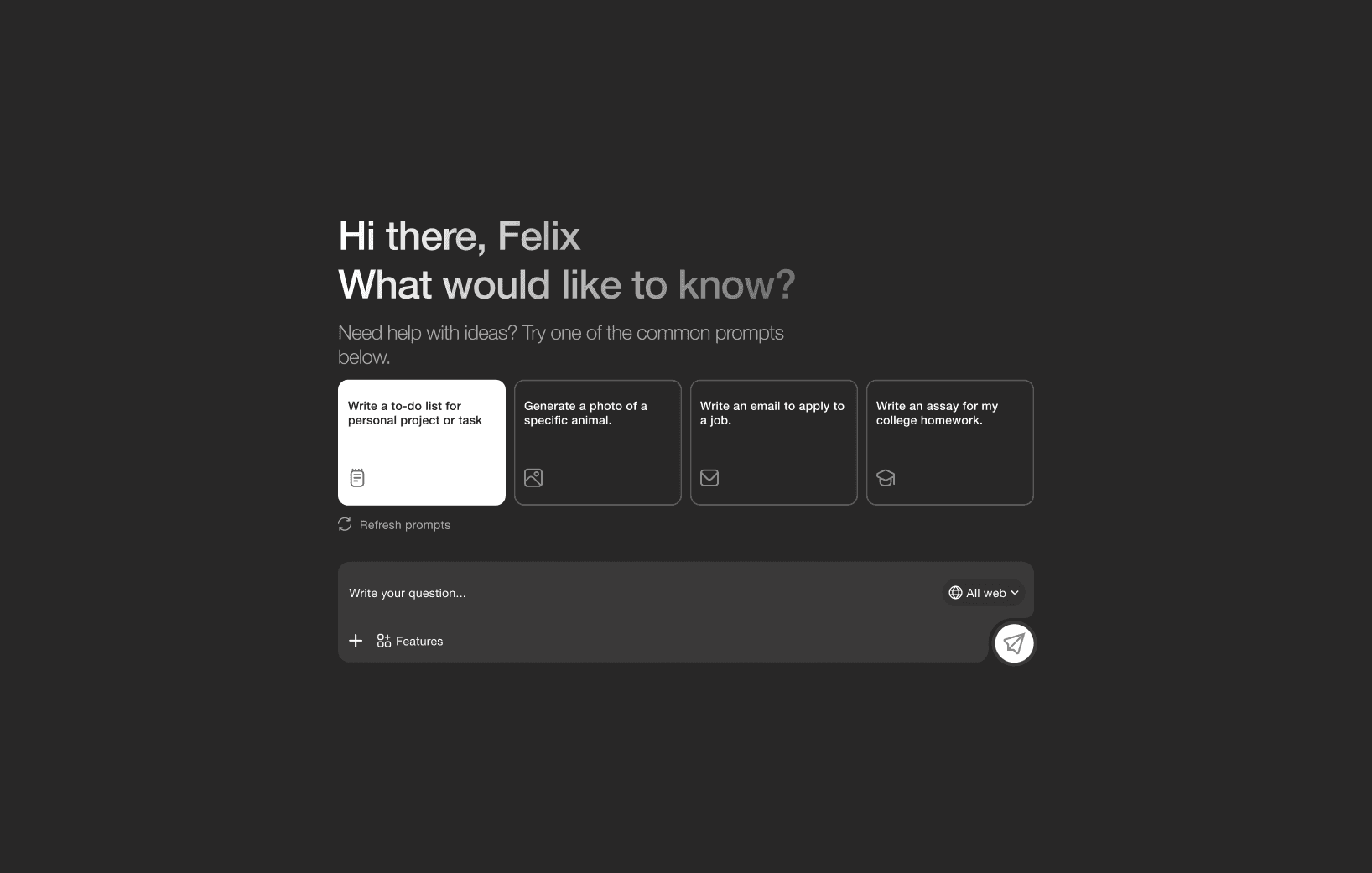
Centrally placed, this section greets the user with:
A friendly personalized message: “Hi there, Felix. What would you like to know?”
A subtitle prompting exploration: “Need help with ideas? Try one of the common prompts below.”
It acts as an entry point to guide user interaction.
Centrally placed, this section greets the user with:
A friendly personalized message: “Hi there, Felix. What would you like to know?”
A subtitle prompting exploration: “Need help with ideas? Try one of the common prompts below.”
It acts as an entry point to guide user interaction.
Conversation History Panel (Right Sidebar)
Chat History Overview
Welcome Prompt Area
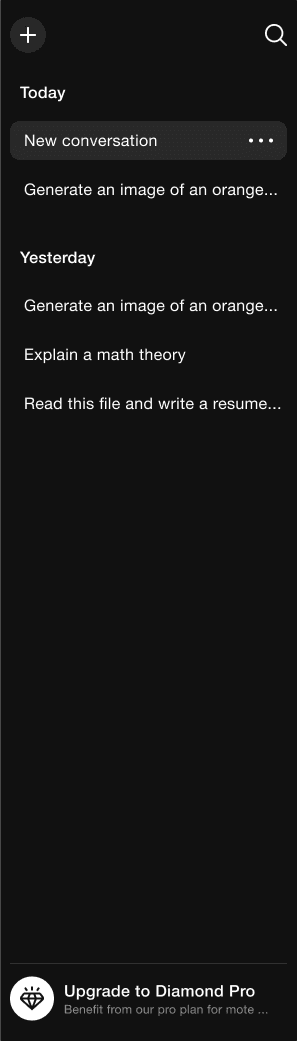
Displays a list of past interactions, categorized by time:
Today / Yesterday
Each entry shows a preview of the user prompt
“Plus icon button” button starts a fresh conversation
Upgrade to pro section for paid subscription view
Users can click entries to revisit past chats.
Conversation History Panel (Right Sidebar)
Chat History Overview
Welcome Prompt Area
Displays a list of past interactions, categorized by time:
Today / Yesterday
Each entry shows a preview of the user prompt
“Plus icon button” button starts a fresh conversation
Upgrade to pro section for paid subscription view
Users can click entries to revisit past chats.
Design Summary & User Experience Vision
Design Summary & User Experience Vision
The Diamond AI chatbot interface is a thoughtfully structured, user-friendly platform designed to simplify AI interactions through intuitive layout and clear visual hierarchy. Each component—from the persistent navbar and left sidebar, to the central chat area and prompt suggestions—serves a focused purpose: to enhance usability, reduce friction, and promote efficient user engagement.
The Diamond AI chatbot interface is a thoughtfully structured, user-friendly platform designed to simplify AI interactions through intuitive layout and clear visual hierarchy. Each component—from the persistent navbar and left sidebar, to the central chat area and prompt suggestions—serves a focused purpose: to enhance usability, reduce friction, and promote efficient user engagement.
By combining a welcoming tone, smart defaults like common prompt cards, and essential features like history tracking and profile management, the interface guides users of all levels—beginners to power users—through a seamless AI-assisted experience.
By combining a welcoming tone, smart defaults like common prompt cards, and essential features like history tracking and profile management, the interface guides users of all levels—beginners to power users—through a seamless AI-assisted experience.
The minimalistic dark theme, clean typography, and logically organized elements make the interface feel both modern and professional, while ensuring accessibility and responsiveness across devices.
The minimalistic dark theme, clean typography, and logically organized elements make the interface feel both modern and professional, while ensuring accessibility and responsiveness across devices.
This cohesive design encourages users to explore, create, and return—transforming a basic chatbot into a powerful creative assistant.
This cohesive design encourages users to explore, create, and return—transforming a basic chatbot into a powerful creative assistant.